
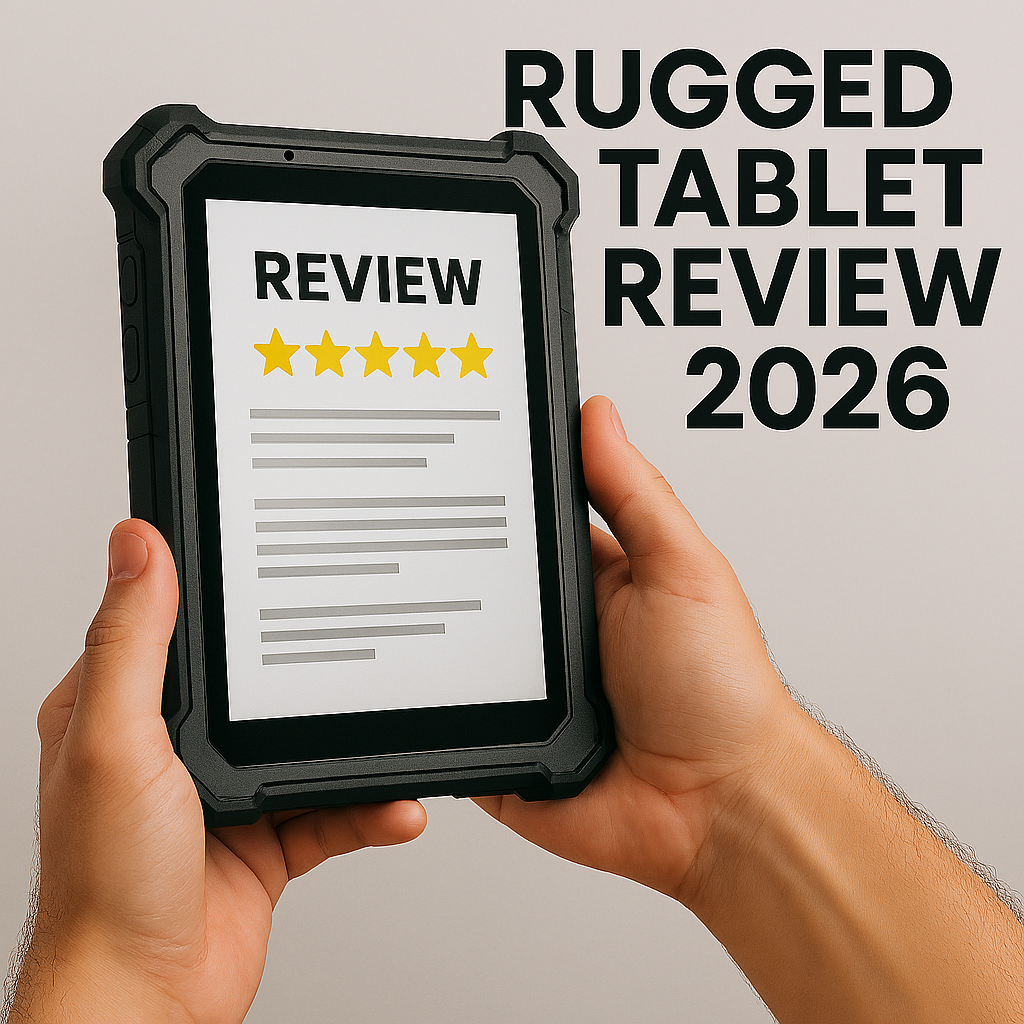
Rugged Tablet: Best Options, Key Features & Buying Guide for 2026
Rugged tablets are built to handle tough environments like construction sites, warehouses, field service jobs, public safety work, and outdoor activities where regular tablets would quickly break. They are not just standard tablets in heavy cases; their hardware is designed from scratch to withstand harsh treatment.
- The top rugged tablets for 2026 offer mil std 810h durability, IP65 to IP68 protection from dust and water, hot-swappable batteries for all-day use, and screens that stay readable even in bright sunlight.
- Devices such as the Dell Latitude 7030 Rugged Extreme, Samsung Galaxy Tab Active5 or TabActive4 Pro, and affordable options from Getac, OUKITEL, and HOTWAV fit a range of budgets and needs.
- When choosing a rugged tablet, focus on the operating system (Android or Windows), battery life, screen brightness for outdoor work, accessory compatibility, and features like 5G/LTE, Wi-Fi 6, NFC, and built-in barcode scanners.
- At the end of this guide, you’ll find a short FAQ about warranties, maintenance tips, and whether a rugged case on a regular tablet can really match a purpose-built rugged device.
Best Rugged Tablet Overall (Dell Latitude 7030 Rugged Extreme)
For most professionals needing a Windows 11 rugged tablet in 2026, the Dell Latitude 7030 Rugged Extreme is the top pick. It’s especially well-suited for construction, utilities, and field engineering teams who rely on desktop software and advanced features.
Hardware Specifications:
- 10.1-inch FHD touchscreen with approximately 1000 nits brightness
- 12th/13th Gen Intel Core processors
- Up to 32GB RAM and 1TB SSD storage
- Optional 5G cellular, GPS, and Wi-Fi 6E connectivity
Durability: The Latitude 7030 Rugged Extreme is mil std 810h certified, so it’s tested for drops from 4 to 6 feet and works in temperatures from about –20°C to 60°C. IP65 sealing keeps out dust and water jets, and rubber corners and sealed ports help protect it from bumps and splashes on the job.
Field-Friendly Features:
- Hot-swappable dual batteries for continuous operation between shifts
- Glove-compatible and wet-touch screen for harsh conditions
- Optional integrated barcode and RFID readers
- Vehicle dock support for mobile office setups
- Detachable backlit keyboard and kickstand for hybrid tablet-laptop productivity
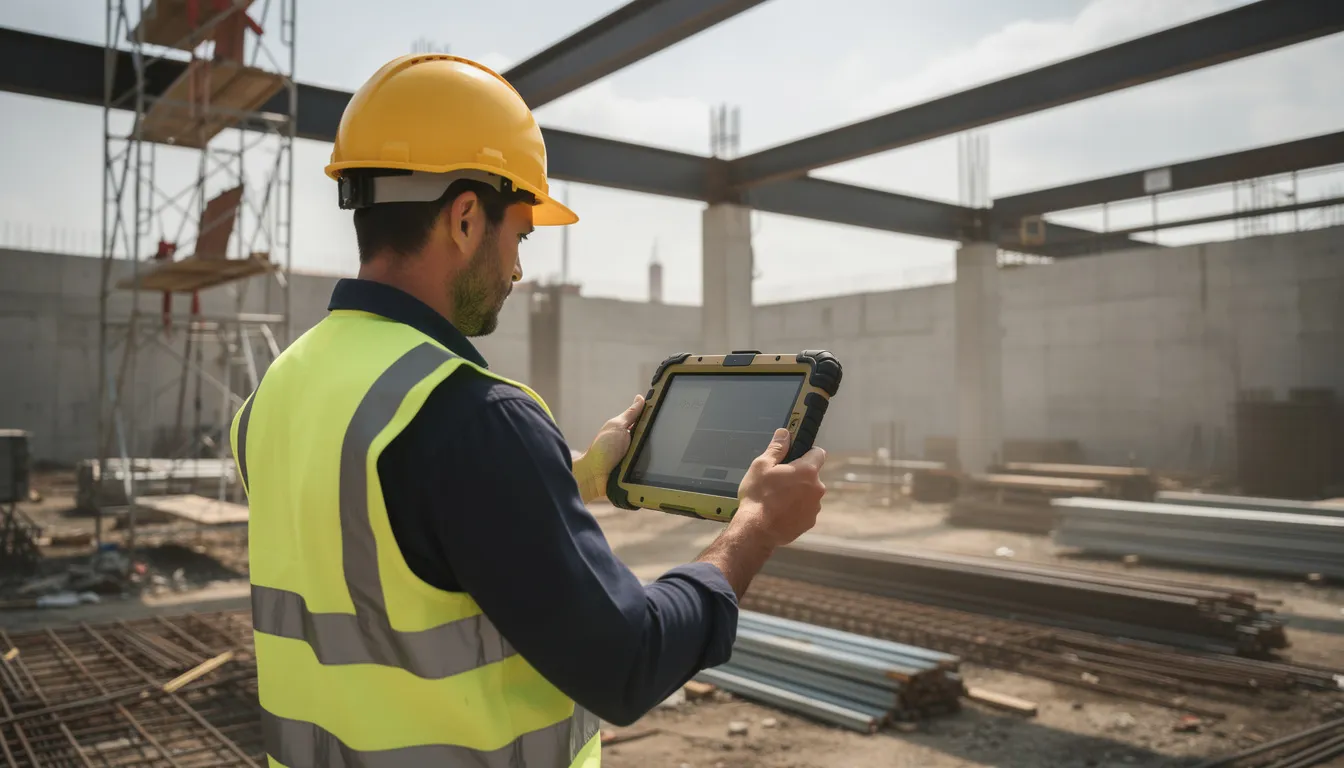
The 7030 is great for project management, CAD markups, viewing BIM models, email, and creating reports right on construction sites. Site supervisors, inspectors, and project managers who need full Windows software will find it the best choice for demanding field work.
Fully equipped with accessories, the price is usually in the mid to high four figures. While it’s a big investment, it pays off with better durability and less downtime.
Best Rugged Tablet on a Budget
For small contractors, solo trades, and workshop users who need durability without enterprise-level pricing, the rugged android tablet category offers compelling options. These devices sacrifice some premium features but deliver genuine protection where it counts.
Top Budget Picks for 2025-2026:
| OUKITEL RT5 | 10.1-inch | 8GB/256GB | 15,000mAh | IP68/IP69K, MIL-STD-810H |
| HOTWAV R7 | 10.1-inch | 8GB/256GB | 20,000mAh | IP68/IP69K, MIL-STD-810H |
Budget models usually have MediaTek or Unisoc processors, thick bumpers, and come with accessories like hand straps or kickstand cases. Their large batteries, often 15,000 to 20,000mAh, provide several days of use for basic tasks like email, viewing PDFs, taking photos, and marking up drawings.
Trade-offs to Consider:
- Heavier weight compared to premium devices
- Slower performance for demanding applications
- Less frequent Android security updates
- Fewer enterprise accessories like advanced vehicle docks or industrial scanners
- Limited portability due to bulk
These budget tablets work well in auto repair shops, small warehouses, farms, and other places where reliability is more important than having the latest features. If you need devices that can handle drops and dust without costing too much, these are a good choice.
Best Rugged Tablet for Accessories and Expansion
Some jobs need a tablet that can connect to special tools like endoscopes, digital microscopes, drone controllers, medical sensors, or industrial measuring devices. Having the right hardware options is key.
Windows-Based Expansion Champion: The Dell Latitude 7030 Rugged Extreme and Getac F110-class devices excel here with extensive docking options. These tablets support:
- VESA mounts for fixed installations
- Office and vehicle docking stations
- Serial, USB-C, and Thunderbolt connectivity
- SmartCard readers for secure access
Android Expansion Leader: The Samsung Galaxy TabActive4 Pro has built a broad accessory ecosystem that makes it a popular choice for teams needing flexibility:
- Rugged cradles and charging docks
- Hand straps and shoulder straps
- Integrated scanner sleds
- Pogo-pin docks for quick connections
- Third-party mounting solutions
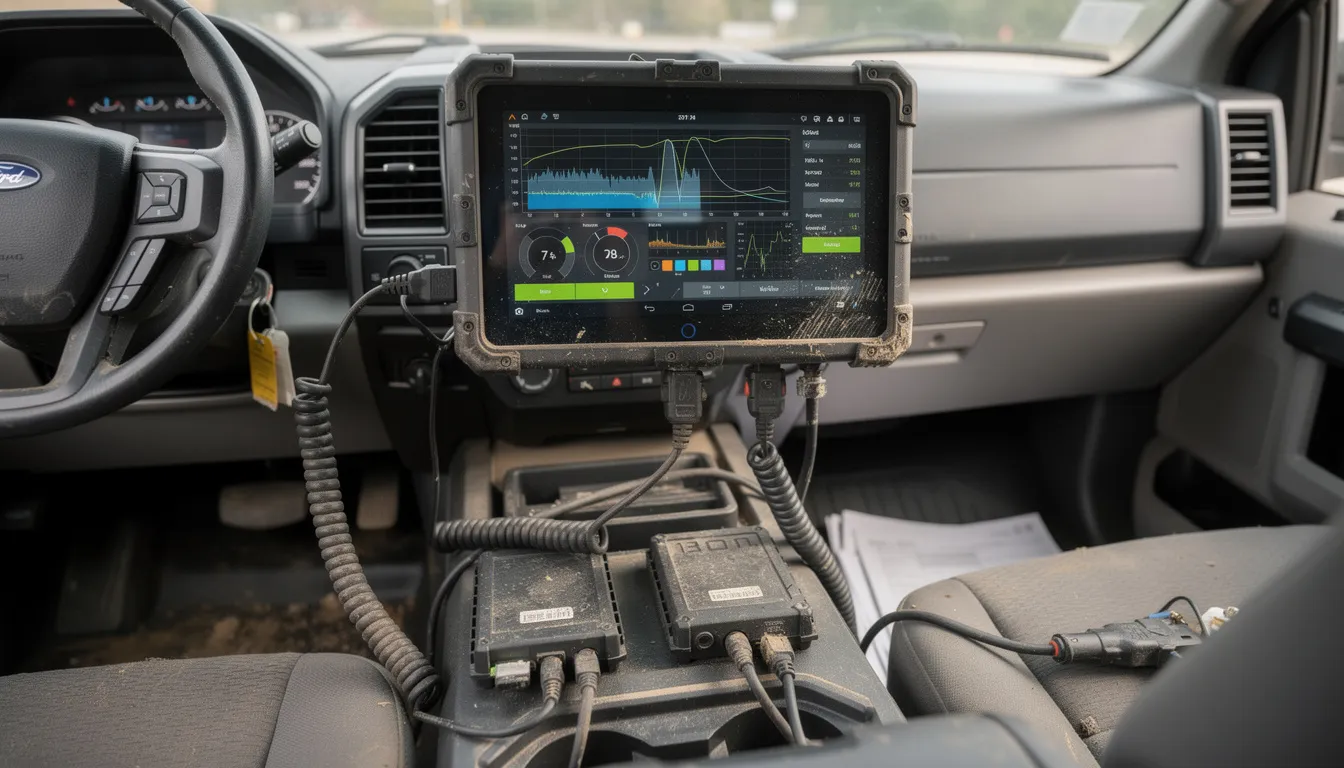
USB-C OTG Capabilities: Both platforms support USB-C On-The-Go connections for attaching scientific devices. Plumbers can connect digital borescopes to inspect pipes. HVAC technicians attach multimeters for equipment diagnostics. Lab fieldwork benefits from microscope connections for on-site sample analysis.
Modular add-ons let you turn a rugged tablet into different types of workstations, which is important if your team does many tasks in various places. Good cable management and secure mounting help protect attached equipment from constant vibration and impacts on construction sites.
Best Rugged Tablet for Battery Life and All-Day Use
Long shifts in logistics, public safety, or remote inspections often mean you can’t charge your device for 10 to 12 hours. Working outdoors in places with limited power requires tablets that are built to last.
Top Picks for Extended Runtime:
| Samsung Galaxy Tab Active5 | Replaceable standard | 10-12 hours mixed use | Yes |
| Samsung Galaxy TabActive4 Pro | Replaceable standard | 10-12 hours mixed use | Yes |
| HOTWAV R7 | 20,000mAh | 15+ hours mixed use | No |
| Dell Latitude 7030 | Dual battery system | 12-16 hours | Yes |
Hot-Swappable Battery Systems: Windows rugged tablets from Dell and Getac often feature dual battery designs where one pack can be removed and replaced while the device remains powered. This approach is critical for fleet deployments where devices must stay operational across multiple shifts without downtime.
Power Management Features:
- USB-C Power Delivery fast charging
- External multi-bay battery chargers for fleet operations
- Low-power modes for overnight remote monitoring
- Expected runtimes of 10-15 hours at 50-70% brightness with LTE active
The trade-off betwChoosing between a big internal battery and a lighter tablet with spare batteries makes a big difference in comfort. A 20,000mAh battery adds a lot of weight over a long shift. For some jobs, a lighter tablet with two spare batteries is more efficient, even if you have to swap them.Rugged Tablet
If you need to use a tablet with one hand, like for warehouse picking, utility work, climbing ladders, or outdoor activities, 7 to 8 inch rugged tablets offer a good balance of features and portability.
Compact Rugged Options:
The Samsung Galaxy Tab Active5 (8-inch class) delivers mid-range processing power with 6-8GB RAM and microSD expansion in a form factor that holsters easily and operates with one hand. The TRIPLTEK 7 Inch PRO targets similar use cases with an emphasis on screen brightness for outdoor use.
Durability in a Small Size: These smaller tablets still offer strong protection, with IP68 or IP69K water resistance, mil std 810h drop testing, and the ability to work in both freezing cold and hot summer conditions that would stop regular tablets.
Real-World Applications:
- Drone pilots using tablets as flight controllers in open fields
- Utility workers climbing poles with holstered devices
- Warehouse staff walking miles of aisles doing inventory picks
- Field inspectors completing checklists between multiple site locations
- Surveyors using GPS mapping software during long outdoor sessions
Limitations: Small screens can make it hard to work with BIM drawings, complex spreadsheets, or detailed CAD files. If you need to review documents or enter lots of data, a larger tablet is better. Compact models are best for quick reference, data capture, and communication, not for replacing a desktop.
Best Rugged Tablet for Cameras and Documentation
Site documentatiTasks like site documentation, insurance claims, asset audits, and quality control often need a good camera as much as a strong processor. If photos are used for legal or financial reasons, image quality is very important.Options:
| Samsung Galaxy TabActive4 Pro | 13MP | 4K | OIS, HDR, reliable autofocus |
| OUKITEL RT5 | 48MP | 4K | High resolution for detail |
| MUNBYN Industrial Tablets | 13MP+ | 1080p | Built for barcode proximity |
Desirable Camera Features:
- Optical or advanced digital stabilization for steady shots
- HDR for challenging lighting on construction sites
- Good low-light performance for interior documentation
- 4K or at least 1080p video for walkthroughs
- Reliable autofocus for close-up label and barcode shots
Front Camera Considerations: For remote inspections and video calls from site to office, a minimum 5MP front camera ensures clear video conferencing. This capability enables real-time communication between field teams and engineering expertise back at the desktop.
Software Integration: The camera is just one part of the picture. Choose tablets that work with inspection apps offering automatic timestamps, GPS tagging, secure cloud uploads, and photo annotation. It’s much easier to document cracks, serial numbers, or daily progress when the software is as good as the hardware.
Rugged Tablet vs Regular Tablet: What’s the Real Difference?
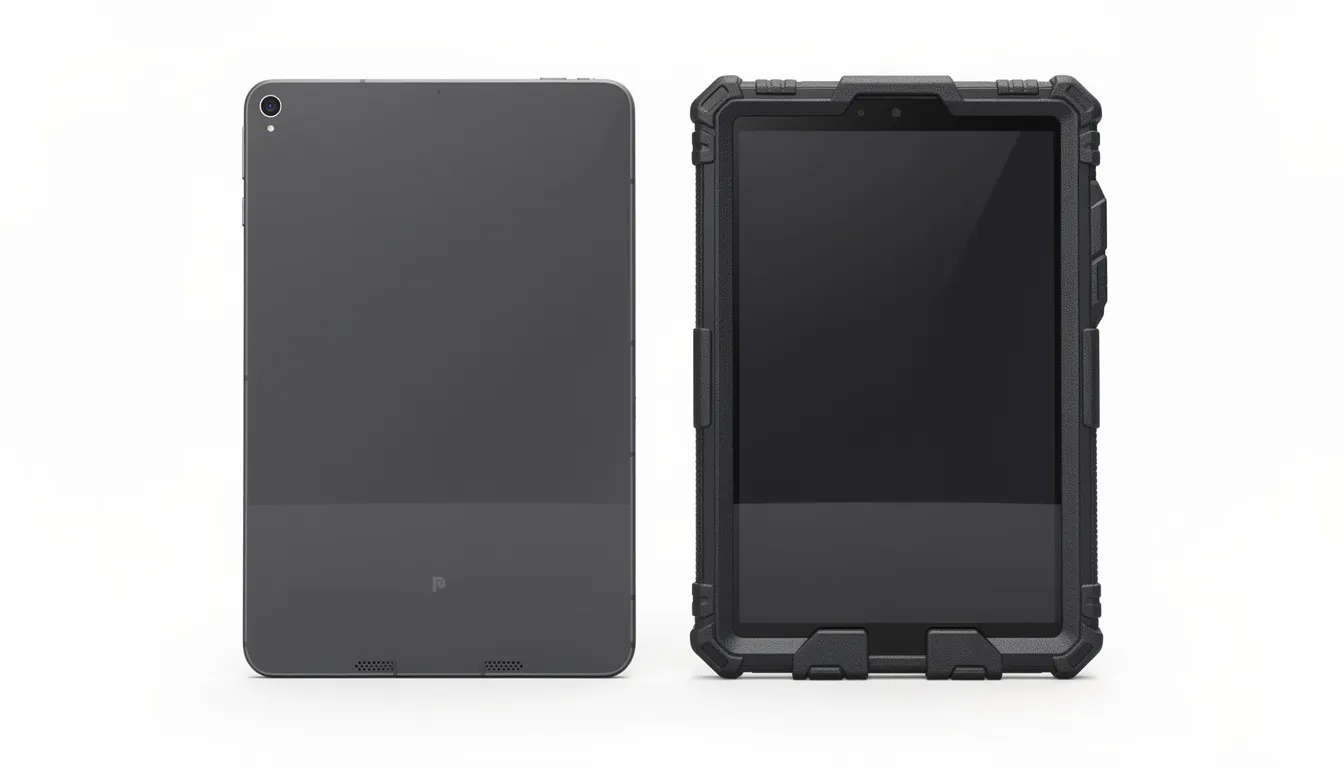
Both types of tablets can run Android, Windows, or ChromeOS, and both support common apps and cloud services. However, the difference between consumer and rugged tablets is clear the first time a regular tablet is dropped.
Physical Differences at a Glance:
| Chassis | Aluminum/glass | Reinforced polymer/magnesium |
| Drop protection | Case-dependent | Built-in (4-6 ft rated) |
| Port sealing | Open | Sealed with covers/gaskets |
| Glass | Standard | Gorilla Glass or equivalent |
| Button design | Touch-sensitive | Physical, glove-compatible |
| Weight | 0.5-0.7 kg | 1.2-2.0 kg |
| Lifespan | 2-3 years | 5-7 years |
Understanding IP Ratings: The first number shows dust protection (6 means dust-tight). The second number shows water protection (5 is for water jets, 7 is for immersion up to 1 meter, 8 is for deeper immersion). IP65 protects against rain and dust, IP67 can handle drops in puddles, and IP68 is for longer water exposure. These differences matter for different construction sites.
MIL-STD-810H Testing: This military standard covers more than just drops. Testing procedures address vibration, humidity, salt fog, thermal shock, and altitude. A device carrying this certification has demonstrated resilience across conditions that would destroy consumer electronics.
What Consumer Tablets + Cases Can’t Match:
- Full port sealing preventing water ingress
- Hot-swappable batteries for continuous operation
- Integrated enterprise features like hardware encryption
- Built-in barcode scanners and pogo-pin dock connections
- Screen brightness exceeding 800 nits for direct sunlight readability
How to Choose the Best Rugged Tablet for Your Needs
Start by thinking about your workflow: the apps you use, your work environment, and the accessories you need, instead of focusing on brand names. The best rugged tablet for one team might not work for another.
Operating System Decision:
| App deployment | Simpler, faster | More complex |
| Cost | Generally lower | Higher |
| Legacy software | Limited | Full compatibility |
| Enterprise workflows | Growing | Established |
| Customization | Extensive | Standard |
Minimum Specifications for 2026:
- Android: 6-8GB RAM minimum
- Windows: 16GB RAM minimum
- CPU: Modern Qualcomm, MediaTek, or recent Intel Core
- Storage: 128GB+ with microSD expansion where possible
Durability Verification: Check for documented mil std 810h testing and IP65+ ratings. Understand what those ratings actually mean for your usage—IP65 handles rain and dust, but not submersion. Drops rated at 4 feet don’t protect against falls from scaffolding.
Usability Factors:
- Screen size: 8-10+ inches depending on tasks
- Brightness: Minimum 600-800 nits for outdoor use
- Touch modes: Glove and wet-touch operation
- Weight: Consider all-day carry ergonomics
Ecosystem: The availability of docks, hand straps, styluses, vehicle mounts, and keyboard covers depends on the manufacturer. Service and warranty support in your area is also important, especially if you have many devices and need to avoid downtime.
How Rugged Tablets Are Tested in the Real World
Spec sheets only tell part of the story. Real-world testing shows if a device can handle tough conditions.
Standard Performance Benchmarks:
- App performance tests measuring launch times and responsiveness
- Browser benchmarks for web-based tools
- Battery drain tests with screen at fixed brightness
- Multitasking scenarios using common field apps
Physical Testing Procedures:
- Controlled drop tests from specified heights onto concrete or steel
- Water spray and submersion tests aligned with IP ratings
- Dust chamber exposure simulating construction site conditions
- Vibration testing for vehicle-mounted use
Measurement Comparisons: Reviewers measure dimensions and weight with and without accessories like cases, hand straps, and screen protectors. True portability comparisons require understanding the complete package rather than base unit specs alone.
Field Scenario Testing: A day on a construction site tests screen visibility under changing sun angles. Warehouse floor use tests connectivity stability across large spaces with interference. Service truck routes test GPS accuracy and LTE handoffs between cell towers. These real time conditions reveal capabilities that lab testing alone can’t capture.
Testing should match how a contractor, inspector, or technician really uses the tablet, without going beyond the manufacturer’s safety limits. Breaking devices for dramatic videos may look impressive, but it doesn’t give buyers much useful information.
Benefits of Rugged Tablets in Construction and Field Work
Rugged tablets connect directly to cost savings, reduced downtime, and fewer device failures across construction, logistics, utilities, and public safety. The investment makes sense when you calculate total cost of ownership rather than just purchase price.
Enhanced Efficiency:
- Digitized checklists eliminate paper shuffling
- Electronic signatures speed approvals
- Immediate access to drawings and BIM models reduces office trips
- Real-time data entry cuts rework from transcription errors
Improved Collaboration:
- Real time messaging keeps field and office teams synchronized
- Shared dashboards provide visibility across project phases
- On-site photo and video updates align managers, clients, and remote team members
- Instant communication replaces end-of-day reporting delays
Data Accuracy and Traceability:
- GPS-tagged data capture documents exactly where and when information was recorded
- On-site barcode and RFID scanning eliminates manual entry errors
- Automatic sync to cloud project management or CMMS systems
- Complete audit trails for compliance and dispute resolution
Safety and Compliance:
- Access to up-to-date safety manuals in the field
- Digital permits available at point of work
- Training video playback for unfamiliar procedures
- Incident reporting tools for immediate documentation
Compared to paper workflows, rugged tablets eliminate lost documents, illegible handwriting, and data entry backlogs. Compared to fragile consumer tablets, they avoid the 30%+ annual failure rates that plague devices not designed for demanding environments—reducing replacement costs and avoiding critical downtime when equipment fails mid-project.
Durability, Weather Resistance, and Specialized Features
Not all rugged tablets offer the same level of protection. Features like sunlight-readable screens or the ability to work in cold weather can be crucial for certain industries and environments.
Sunlight-Readable Screens: Displays with 800 to 1200 nits of brightness and anti-glare coatings stay visible even on sunny construction sites. Scratch-resistant glass helps protect against damage from tools and materials. Regular tablets with only 300 to 500 nits are hard to see in direct sunlight.
Temperature Extremes: Operating ranges typically span –4°F (–20°C) to 122°F (50°C) or wider for ultra-rugged models. Winter road maintenance crews and desert survey teams both depend on devices that function reliably in extreme temperatures. Thermal management systems like Dell’s QuadCool technology prevent throttling in high-ambient conditions where heat dissipation becomes critical.
Ingress Protection in Practice:
| IP65 | Dust-tight | Water jets | Rain, pressure washing |
| IP67 | Dust-tight | 1m immersion, 30 min | Puddle drops, heavy rain |
| IP68 | Dust-tight | Deeper/longer immersion | Water-adjacent work |
| IP69K | Dust-tight | High-pressure hot water | Industrial cleaning |
Integrated Tools: Built-in barcode scanners, NFC readers, GPS, and LTE or 5G modems mean you don’t need extra devices. Optional add-ons like thermal cameras and UHF RFID readers add more features for special tasks. This makes work easier and means workers carry less equipmentNiche Features: Intrinsic safety certifications are important for explosive environments like oil and gas. Some tablets work better with thick gloves than others, depending on the brand. Make sure to choose features that fit your specific work environment, not just general specs.ne.
Rugged Tablets for Construction Businesses and Contractors
This section addresses construction companies, general contractors, and subcontractors considering standardizing on rugged tablets across their fleets in 2026. The construction industry faces unique challenges that make rugged mobile devices particularly valuable.
Core Construction Workflow Support:
- Viewing blueprints and 3D models at actual build locations
- Digital punch lists with photo documentation
- RFIs submitted and tracked in real time
- Approval workflows completed on site
- Timekeeping and crew management from the field
Dealing with Worker Shortages: Modern mobile tools help new hires get up to speed faster with guided apps and training materials on the device. When there’s less experience on the team, having reference materials available on the spot helps reduce mistakes and speeds up learning.
Contract and Temporary Workers: Rugged tablets with secure logins let temporary staff access timesheets, safety training, and tasks without complicated onboarding. Role-based permissions make sure workers only see what they need, keeping project information safe.
Platform Integration: Construction management software from Procore, Autodesk Construction Cloud, and similar platforms connects field data to office systems. This integration enables real-time project oversight, reduces duplicate data entry, and keeps all stakeholders working from current information.
Long-Term ROI:
- Fewer device failures mean less downtime and replacement cost
- Better documentation provides evidence for dispute resolution
- Improved schedule adherence from real-time coordination
- Smoother handover packages at project close-out with complete digital records
Field Accessories and Mounting Options
The right accessories can make a rugged tablet easy to use in construction work, or they can cause frustration if they don’t fit your needs.
Common Accessories:
- Shoulder and hand straps for secure carry
- Rotating grips for varied holding positions
- Desk and wall docks for fixed workstations
- Vehicle mounts for trucks and heavy equipment
- Styluses and active pens with tethers to prevent loss
Workflow Extensions: Barcode scanners (built-in or sled-style attachments) enable inventory tracking and equipment management. External keyboards transform tablets into laptop replacements for extended data entry. Clip-on card readers support secure authentication and payment processing.
Real-World Examples: Foremen use vehicle-mounted tablets as navigation and dispatch hubs, communicating crew assignments while traveling between sites. Warehouse staff holster tablets for hands-free picking and inventory operations. Inspectors clip tablets to harnesses while climbing structures, keeping devices accessible but secured.
Connectivity and On-Site Communication
Rugged tablets deliver maximum value when reliably connected to cloud tools and back-office systems. Construction sites present unique connectivity challenges that require capable hardware.
LTE/5G Capability: Off-Wi-Fi construction sites—highway projects, remote energy installations, rural developments—depend on cellular connectivity. 5G support provides bandwidth for large file transfers and video communication even in areas without infrastructure.
Wi-Fi 6/6E Benefits: Crowded environments like large warehouses or multi-trade construction sites with dozens of connected devices benefit from Wi-Fi 6’s improved handling of simultaneous connections. Reduced latency keeps real-time collaboration smooth.
Communication Tools: Push-to-talk lets you talk instantly without making a call. VoIP connects field teams to office staff using your current phone system. Built-in cameras make it easy to have quick video calls between field crews and engineers at the office, which is important when you need to show what’s happening on site.
FAQ: Rugged Tablets
Are rugged tablets worth the higher price compared to a normal tablet with a rugged case?
For light use, a consumer tablet plus a quality case can suffice. But for daily work in rain, dust, or on scaffolding, purpose-built rugged tablets offer advantages no case can replicate: fully sealed ports, hot-swappable batteries, integrated scanners, sunlight-readable screens, and 5-7 year lifespans. Businesses typically find lower total cost of ownership despite higher upfront investment when factoring replacement frequency, downtime costs, and productivity gains.
How long do rugged tablets typically last in professional use?
Most enterprises plan for 3-5 years of frontline deployment, with some devices lasting longer when batteries and ports receive proper maintenance. Spare parts availability and extended warranty programs can extend practical lifespan further. Compare this to consumer tablets that typically require replacement every 2-3 years in demanding environments—if they survive that long.
Can I use rugged tablets with gloves or in the rain?
Most modern rugged tablets support glove and wet-touch modes, but glove thickness and material matter significantly. Test your actual work gloves with any device before fleet deployment. Consider models with physical buttons for critical functions when glove compatibility proves inconsistent with touchscreens.
Do rugged tablets support common business apps and VPNs?
Android and Windows rugged tablets run standard business applications from Google Play, Microsoft Store, or direct installation. They support corporate VPNs, MDM/EMM solutions, and security tools equivalent to non-rugged devices. Operating system choice determines software compatibility—Windows for legacy desktop applications, Android for mobile-first tools.
What maintenance do rugged tablets need on job sites?
Despite their durability, rugged tablets benefit from regular care: cleaning ports and seals to prevent debris accumulation, inspecting gaskets and screen protectors for wear, replacing batteries before capacity degrades significantly, and keeping firmware and OS security updates current. Preventive maintenance extends device lifespan and maintains protection ratings.


ProDentim is a distinctive oral-care formula that pairs targeted probiotics with plant-based ingredients to encourage strong teeth, comfortable gums, and reliably fresh breath.